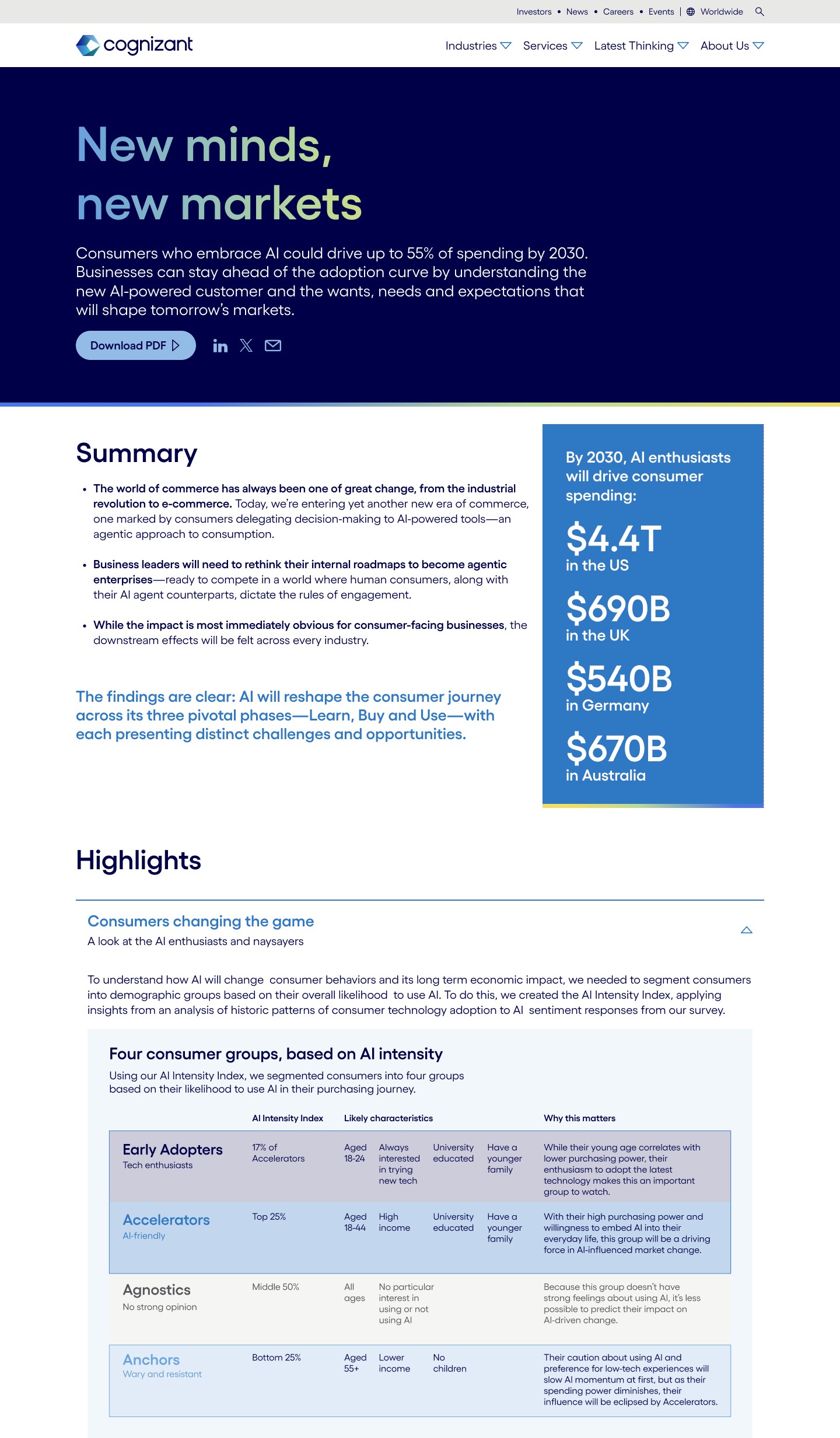
Designing for engagement
Optimizing Cognizant’s Interactive Research Report Experience
Role: User Experience Lead at Cognizant
Tasks Performed: User research, prototyping, UX design
Programs Used: Figma, Adobe Target, ContentSquare, WEVO
Team: Cognizant Corporate Marketing (Web, Research and Thought Leadership, Global Creative, Analytics)
20% increase in scroll depth on research report page
Improved content engagement and section visibility
Established scalable template for future reports
Introduction
Cognizant publishes in-depth research reports as part of its thought leadership and demand generation strategy.
These reports are high-value marketing assets designed to:
-
Position the brand as a strategic technology partner
-
Capture enterprise leads
-
Educate decision-makers
However, analytics revealed a problem:
Users were not engaging deeply with the content.
Problem
Despite high entry traffic, behavioral data showed:
-
Low scroll depth
-
Sharp drop-offs after the first few sections
-
Limited interaction with embedded modules
-
Poor visibility of key calls-to-action
The reports were content-rich — but the experience felt static and dense.
The challenge:
Increase engagement without oversimplifying complex enterprise insights.
Research and discovery
Behavioral analysis
Using Contentsquare and analytics tools, I reviewed:
-
Scroll heatmaps
-
Engagement zones
-
Click behavior within long-form pages
-
Time-on-section metrics
We identified:
-
Heavy attention on the hero and intro
-
Significant drop-off in mid-page dense text sections
-
Underperforming CTAs buried below heavy content blocks
Content pattern audit
I analyzed multiple existing research report templates and identified:
-
Overuse of long paragraph blocks
-
Inconsistent section rhythm
-
Lack of visual breaks
-
Minimal interactive engagement opportunities
Reports were formatted like PDFs on web pages — not web-native experiences.
Strategy
Improve content rhythm & visual hierarchy
To reduce cognitive fatigue, I:
-
Broke long paragraphs into scannable sections
-
Introduced stronger typographic hierarchy
-
Increased whitespace between sections
-
Designed visual anchor points to re-engage attention
-
Created clear sub-section transitions
This made long-form content feel navigable instead of overwhelming.
Introduce intentional interaction moments
Rather than adding interaction for novelty, I designed purposeful engagement:
-
Expandable insight modules
-
Interactive stat highlights
-
Quote callouts
-
Section preview components
-
Inline visual data treatments
These moments acted as psychological “checkpoints” that encouraged continued scrolling.
Research
Validation through A/B with WEVO Pulse
The study focused on four primary objectives:
- Validate alignment between AI value and user needs
- Assess how easily users could locate key information
- Identify the most effective way of showcase Cognizant research
- Evaluate clarity and resonance of messaging across audiences
The study focused on three core audience:
- C-suite technology leaders (ex. CIO, CTO, CDO)
- Line-of-business executives (director and level)
- Mid-level managers with decisions-making authority
Testing approach
Variant A
Original long-form report layout.
Variant B
Redesigned experience with:
-
Improved pacing
-
Interactive modules
-
Repositioned CTAs
-
Enhanced hierarchy
Using WEVO’s structured perception testing framework, we evaluated:
-
Clarity of information
-
Perceived credibility
-
Ease of navigation
-
Likelihood to continue reading
-
Overall engagement sentiment
Key findings
The redesigned version showed:
-
Higher perceived clarity
-
Improved ratings on “easy to navigate”
-
Stronger emotional engagement signals
-
Increased stated likelihood to explore additional sections
Qualitative feedback reinforced that:
-
Content felt “less overwhelming”
-
Sections were easier to scan
-
Visual breaks improved readability
Results
20% increase in scroll depth on research report page
Increased interaction with expandable modules
Greater visibility of mid-page CTAs
Scalable template for future research reports